
Salesforce Winter '27: Top Updates for Admins, Devs, and Flow Builders
The Salesforce Winter '27 release is officially here, and it brings a massive wave of quality-of-life improvements, especially for those of us living in Flow Builder. Whether you are a solo Admin trying to untangle inherited flows, a Developer focused on test coverage, or an Architect enforcing security, this release has something that will save you time. Here is a breakdown of the most impactful Winter '27 updates across Flows, Platform, and Service.
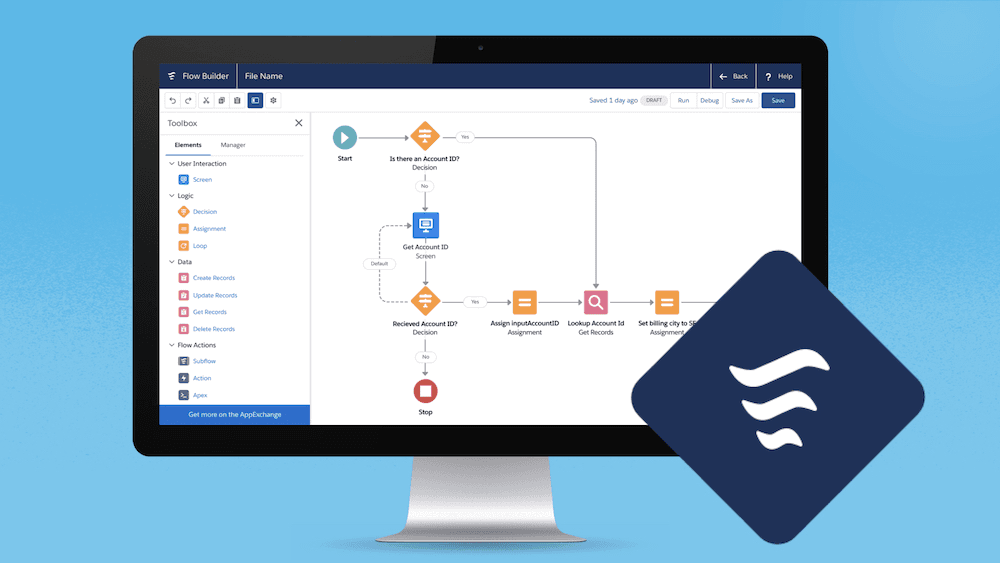
1. Flow Builder: A Massive UX Upgrade Salesforce has heavily invested in making Flow Builder faster to navigate and easier to manage, wrapping it all in the modern Cosmos theme (note: no SLDS 2 dark mode support yet).
Edit History & Version Comparison: You can now see a timeline of saves for several flow types. Even better, you can click on element names to open change details in a side panel, making it much easier to track what changed between versions. You also have the ability to restore and copy from the history.
Organize with Groups: You can now group related elements into named, collapsible groups on the canvas, which will roll out gradually this release.
Clean Up the Clutter: A new "Unused" filter in the Toolbox helps you spot orphaned resources. (This applies to both auto-layout and free-form modes).
Keyboard Shortcuts: Finally! You can use arrow keys to navigate the canvas, standard shortcuts for copy/cut/paste/delete, and Cmd/Ctrl + K to search the Toolbox.
Quality-of-Life Tweaks: Decision elements now let you jump straight to path conditions, rename paths inline, and resize the panel. Element labels can auto-generate (preserving your manual edits), End elements now save their metadata so your layout persists, and compact cards show element types on hover.
Security & Agents: You can now see Agent Actions (name, type, description) directly inside Flow Builder. Additionally, a new User Context option (API 68.0+) forces flows to respect the running user’s permissions, preventing accidental privilege escalation.
2. Proactive Flow Error Handling Winter '27 shifts error handling to save-time rather than run-time, saving you from production headaches.
Save-Time Warnings: Flow Builder will now warn you at save time if a Create Records element is missing a mapped required field (when determinable). It will also flag text values that are likely to exceed a field's character limit.
Record Lock Retries: To reduce failed flows caused by record lock contention, the system will now automatically retry after 10 seconds during transaction initialization.
3. Screen Flows & Advanced Testing Testing just got a massive upgrade, moving away from simple debugging into actual scenario validation.
Dedicated Test Mode (Beta): You can now create, save, and rerun specific scenarios with assertions right from Flow Builder.
Easier Debugging Inputs: You can test any flow simply by pasting a 15- or 18-character record ID, and you can now pass primitive collections straight into the debugger.
Mock Outputs (Beta): You can mock outputs for Action and Subflow elements, including simulating failure paths, allowing you to test complex logic in isolation.
Agentforce for Flow: You can now use a single prompt in the terminal to have Agentforce propose, build, and run test scenarios for you.
Screen Flow Bulk Processing: You can now trigger mass quick actions from list views or related lists, passing the selected record IDs into a screen flow that opens in a modal. Screen flows also gain a native Time component with min/max value settings.
4. General Platform, Permissions, & Service Outside of Flow, there are several powerful updates for standard administration and Service Cloud.
List View Inline Editing: Inline editing on list views is now available for any field a user has access to, even on lists containing mixed record types.
Preserve Manual Shares: A new setting allows you to retain manual record shares even when the record's owner changes.
User Field History (GA): You can now track up to 20 fields on the User object, with history retained in the UI for up to 18 months.
UI Enhancements: The "Follow" button can now be embedded directly in the Dynamic Highlights Panel.
Service Cloud Updates: Case attachments are now displayed inline, and you can use "Refine with Instructions" to adjust comment drafts. With the Knowledge add-on, you can leverage Knowledge Blocks and AI-drafted articles.
Security Reporting: A new Guest User Sharing Rule Access Report is available to help admins spot sensitive fields accidentally exposed to public sites.